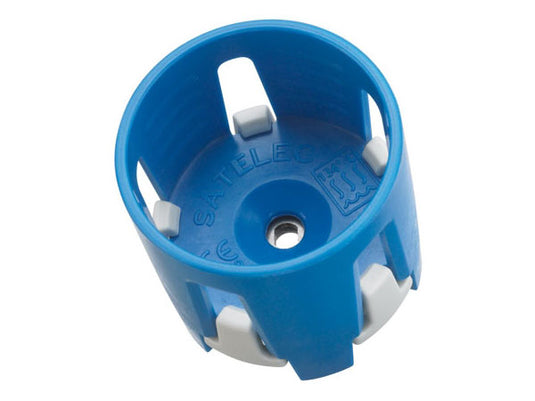
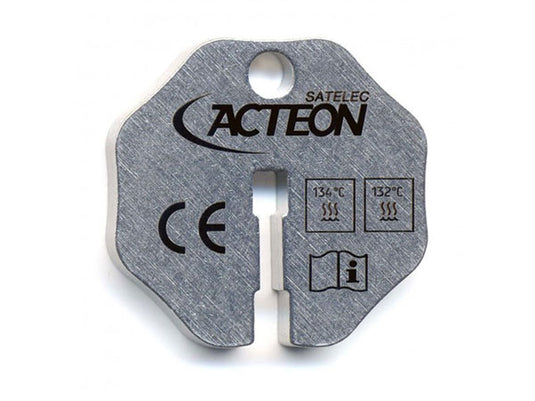
Acteon Torque Wrenches are used to apply and remove Newtron® ultrasonic tips from the handpiece. The tip-enclosing wrenches allow changing tips without touching it. Other features and benefits include:
Autoclavable
Audible click alerts user when tip is sufficiently tight
Allows for less contact of ultrasonic tips with your hands, making for a safer process
Indications for Use
For use with Newtron tips. Torque wrench ensures the tips are not overtightened.
Configurations
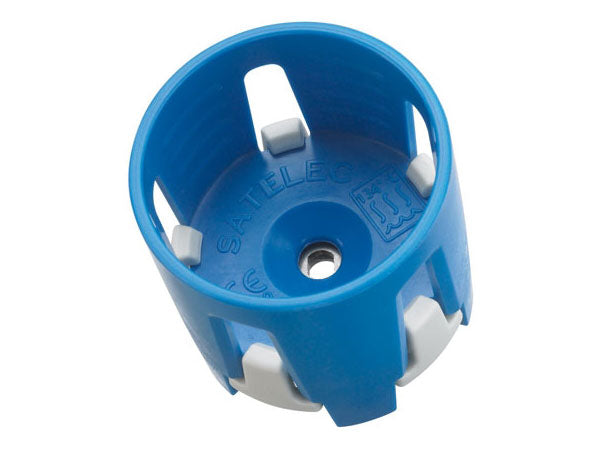
Blue Torque Wrench (Round) (820322): 1 ea.
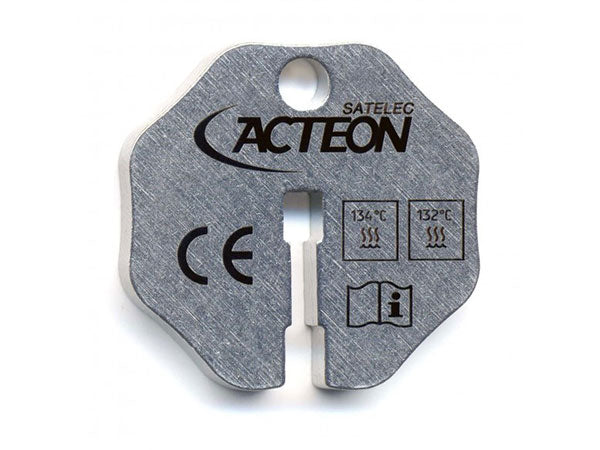
Universal Metal Wrench (820406): 1 ea.
FAQ
Q: How do I change (or place) the tip?
A: The tip threads onto the end of the autoclavable handpiece (AHP). The tip-enclosing wrench provided prevents you from having to touch the actual tip. You orient the slot in the wrench around the base of the tip, press the wrench into place, and turn the tip counter-clockwise to loosen the tip. The tip should always either be applied on the AHP or inside the wrench. First, hand tighten a tip to the handpiece. Then align the hole of the wrench to the flat sides of the tip and press down. The wrench will lock into place. Now unscrew the wrench and the tip remains inside, helping prevent the loss of tips or injuring hands and fingers. Hand tightening only needs to be done the first time using the device or acquiring new tips and wrenches. The tip should remain in the wrench unless it’s in use. The torque wrenches have a special design that will prevent over-tightening of the tip on the AHP. When the tip is tight on the AHP, continue to force the wrench in a clockwise motion until you hear an audible “click”. You will then know the tip is sufficiently tight on the AHP. DO NOT DO THIS WITH THE FLAT COLOUR-CODED WRENCHES.
Use left/right arrows to navigate the slideshow or swipe left/right if using a mobile device
Choosing a selection results in a full page refresh.
Press the space key then arrow keys to make a selection.
Shopping Cart
Product Details
Configurations
FAQ
Resources
Accessories
Product Details
Acteon Torque Wrenches are used to apply and remove Newtron® ultrasonic tips from the handpiece. The tip-enclosing wrenches allow changing tips without touching it. Other features and benefits include:
Autoclavable
Audible click alerts user when tip is sufficiently tight
Allows for less contact of ultrasonic tips with your hands, making for a safer process
Indications for Use
For use with Newtron tips. Torque wrench ensures the tips are not overtightened.
Configurations
Blue Torque Wrench (Round) (820322): 1 ea.
Universal Metal Wrench (820406): 1 ea.
FAQ
Q: How do I change (or place) the tip?
A: The tip threads onto the end of the autoclavable handpiece (AHP). The tip-enclosing wrench provided prevents you from having to touch the actual tip. You orient the slot in the wrench around the base of the tip, press the wrench into place, and turn the tip counter-clockwise to loosen the tip. The tip should always either be applied on the AHP or inside the wrench. First, hand tighten a tip to the handpiece. Then align the hole of the wrench to the flat sides of the tip and press down. The wrench will lock into place. Now unscrew the wrench and the tip remains inside, helping prevent the loss of tips or injuring hands and fingers. Hand tightening only needs to be done the first time using the device or acquiring new tips and wrenches. The tip should remain in the wrench unless it’s in use. The torque wrenches have a special design that will prevent over-tightening of the tip on the AHP. When the tip is tight on the AHP, continue to force the wrench in a clockwise motion until you hear an audible “click”. You will then know the tip is sufficiently tight on the AHP. DO NOT DO THIS WITH THE FLAT COLOUR-CODED WRENCHES.